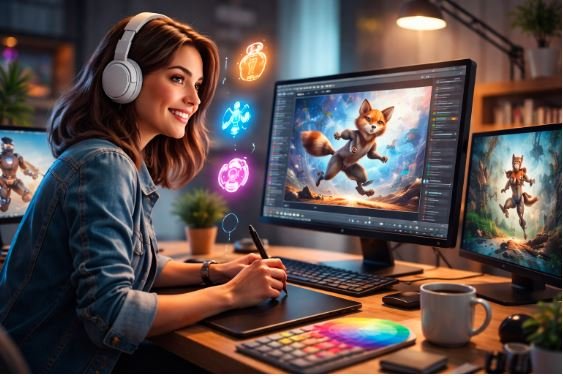

Creating animations used to require advanced design skills, expensive software, and hours of manual work. Today, things have changed. With the rise of AI-powered tools, anyone can turn ideas into engaging animations in minutes—no prior experience needed.
Whether you’re a marketer, content creator, educator, or business owner, AI animation tools help you produce professional visuals quickly and affordably. In this article, we’ll explore five powerful tools that make animation accessible to everyone, starting with one of the most versatile platforms available.
1. Invideo
Invideo stands out as a complete solution for turning ideas into polished animations without needing technical skills. It simplifies the entire workflow—from concept to final output—by handling scripting, visuals, and voiceovers automatically. If you’re looking for an ai animation generator that can transform a simple prompt into a full video, this tool delivers impressive results. You can input a concept, and the platform generates scenes, transitions, and narration, making it ideal for explainer videos, social media content, and marketing campaigns.
Another strong advantage of invideo is its accessibility across devices. With its free ai video app, users can create and edit animations on the go without being tied to a desktop setup. This flexibility makes it perfect for creators who need quick turnaround times. Additionally, it offers a wide range of templates, AI voice options, and customization features, ensuring that your animations match your brand identity while saving time and effort.
2. Animaker
Animaker is designed for beginners who want to create animated videos without any prior experience. Its drag-and-drop interface allows users to build animations using pre-designed characters, props, and backgrounds. You can easily create explainer videos, presentations, and social media clips with minimal effort.
What makes Animaker especially useful is its character builder feature. It lets users design custom characters with different expressions and movements, adding a personal touch to animations. The platform also includes automatic lip-syncing, which aligns voiceovers with character animations. This makes storytelling more engaging and realistic, even if you’re new to animation.
Animaker also supports multiple video formats, making it suitable for different platforms. Whether you’re creating content for business or personal use, it ensures consistency and quality. The learning curve is low, and users can quickly get comfortable with its features.
3. Vyond
Vyond is a popular choice among businesses and professionals who need high-quality animated videos for communication and training. It offers a wide range of templates tailored for corporate use, including onboarding videos, tutorials, and marketing content.
One of Vyond’s strongest features is its focus on storytelling. Users can create detailed scenes with customizable characters, expressions, and movements. The platform also includes advanced timeline controls, allowing you to fine-tune animations for better impact.
Vyond supports voiceovers and text-to-speech capabilities, helping users add narration without external tools. It also allows for easy collaboration, making it ideal for teams working on projects together. While it offers powerful features, the interface remains user-friendly, ensuring that even beginners can create professional-looking animations.
4. Renderforest
Renderforest is an all-in-one creative platform that includes animation tools alongside branding and design features. It is particularly useful for users who want to create animated logos, intros, and promotional videos quickly.
The platform offers a large library of templates that can be customized with your text, images, and branding elements. This makes it easy to produce high-quality animations without starting from scratch. Renderforest also includes AI-assisted tools that suggest styles and layouts based on your input.
Another advantage is its cloud-based system, which allows users to work from anywhere without downloading heavy software. It also provides export options in different resolutions, ensuring that your animations look sharp across platforms. For businesses and creators looking for quick and consistent results, Renderforest is a reliable option.
5. Powtoon
Powtoon is widely known for its ability to create engaging and visually appealing animations for presentations and marketing. It is especially popular among educators and businesses that want to communicate ideas in a clear and engaging way.
The platform offers a variety of templates designed for storytelling, making it easy to structure your content. Users can add animated characters, text effects, and transitions to bring their ideas to life. Powtoon also includes voiceover options and music integration, enhancing the overall viewing experience.
One of Powtoon’s key strengths is its simplicity. The interface is intuitive, allowing users to create animations quickly without feeling overwhelmed. It also supports collaboration, making it a good choice for teams. Whether you’re creating a pitch, tutorial, or social media video, Powtoon provides the tools needed to make your content stand out.
Why AI Animation Tools Are Gaining Popularity
AI animation tools are becoming essential because they remove traditional barriers to creativity. You no longer need to learn complex software or hire professional designers. These tools automate time-consuming tasks like scripting, scene creation, and voiceovers.
They also help maintain consistency across projects, which is important for branding. Businesses can create multiple videos quickly while ensuring a uniform style. For individual creators, this means more time to focus on ideas rather than technical details.
Another reason for their popularity is cost efficiency. Traditional animation can be expensive, but AI tools offer affordable solutions without compromising quality. This makes them accessible to startups, freelancers, and small businesses.
How to Choose the Right AI Animation Tool
Selecting the right tool depends on your goals and workflow. Here are a few factors to consider:
- Ease of Use
If you’re a beginner, look for tools with simple interfaces and ready-made templates. - Features
Check if the platform offers features like voiceovers, character customization, and AI scripting. - Flexibility
Choose a tool that works across devices and supports different video formats. - Customization
Make sure you can adjust styles, colors, and elements to match your brand. - Budget
Compare pricing plans and choose one that fits your needs without unnecessary costs.
Common Use Cases for AI Animation Tools
AI animation tools can be used across various industries and purposes:
- Marketing Videos: Create promotional content for products and services
- Educational Content: Develop tutorials and explainer videos
- Social Media: Produce engaging short-form videos
- Business Communication: Simplify complex ideas with visuals
- Personal Projects: Bring creative ideas to life easily
These tools make it possible to produce high-quality animations for almost any purpose.
Conclusion
AI animation tools have completely changed how we create videos. What once required specialized skills and resources can now be done in minutes with the help of intelligent automation.
From invideo’s all-in-one capabilities to the simplicity of Animaker, the storytelling power of Vyond, the versatility of Renderforest, and the presentation-focused approach of Powtoon, each tool offers unique benefits. The best choice depends on your specific needs, but all of them make animation more accessible than ever.
If you’ve been hesitant to start creating animations due to lack of skills or time, now is the perfect moment to explore these tools. With the right platform, you can turn your ideas into professional-quality animations and elevate your content effortlessly.